Modules
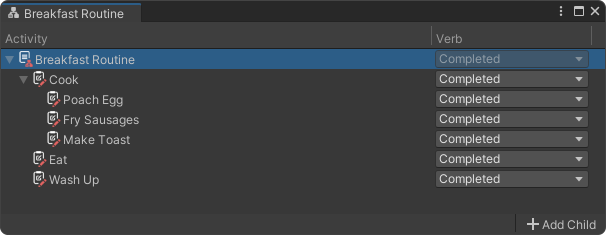
When using the extended reporting package, modules become assets in your Unity project. These assets contain a hierarchy of activities that can be used to track a user’s progress throughout an application, as well as their successes and failures in individual parts of the experience.
If an app defines only a single module, it will always launch directly into that module. This is the recommended approach for enabling extended reporting in non-modular apps.
➕ Creating a Module
To create a new module asset in Unity:
- Open the Unity Editor.
- In the top menu, go to: Assets > Create > Portico > Reporting > Module.
- Name your new module asset.
Once you have created a module asset, double click it to open it and start building your activity hierarchy.
✅ Adding the Module to Your App
After you have finished configuring your module, make sure to add it to the modules list found under the Modules tab in the PorticoXR Unity window.
🛠️ Best Practices
- Structure activities logically: Organize activities within modules to reflect the flow of your process or experience.
- Use meaningful names: Name your activities clearly to make reporting data easy to interpret.